Task manager for ADHD
Productivity software that works with your brain, not against it.
Most productivity apps are built for neurotypical brains that love filling out forms. For someone with ADHD, a tool that requires 14 clicks to create a task is a tool that will be abandoned by Tuesday.
Owldo is built for speed and low friction. It's a sharp, immediate interface designed to catch your thoughts before they evaporate, and keep you focused without overwhelming you with dials.
Our Philosophy
“We build sharp knives, not Swiss army knives.”
Most productivity apps try to be everything for everyone, resulting in bloated, slow software. Owldo is deliberately opinionated. We built a fast, local-first tool strictly for people who think in prose and execute in deadlines.

What you get
- Lightning-fast capture: hit a hotkey, dump the thought, move on
- No mandatory categorization or tag management
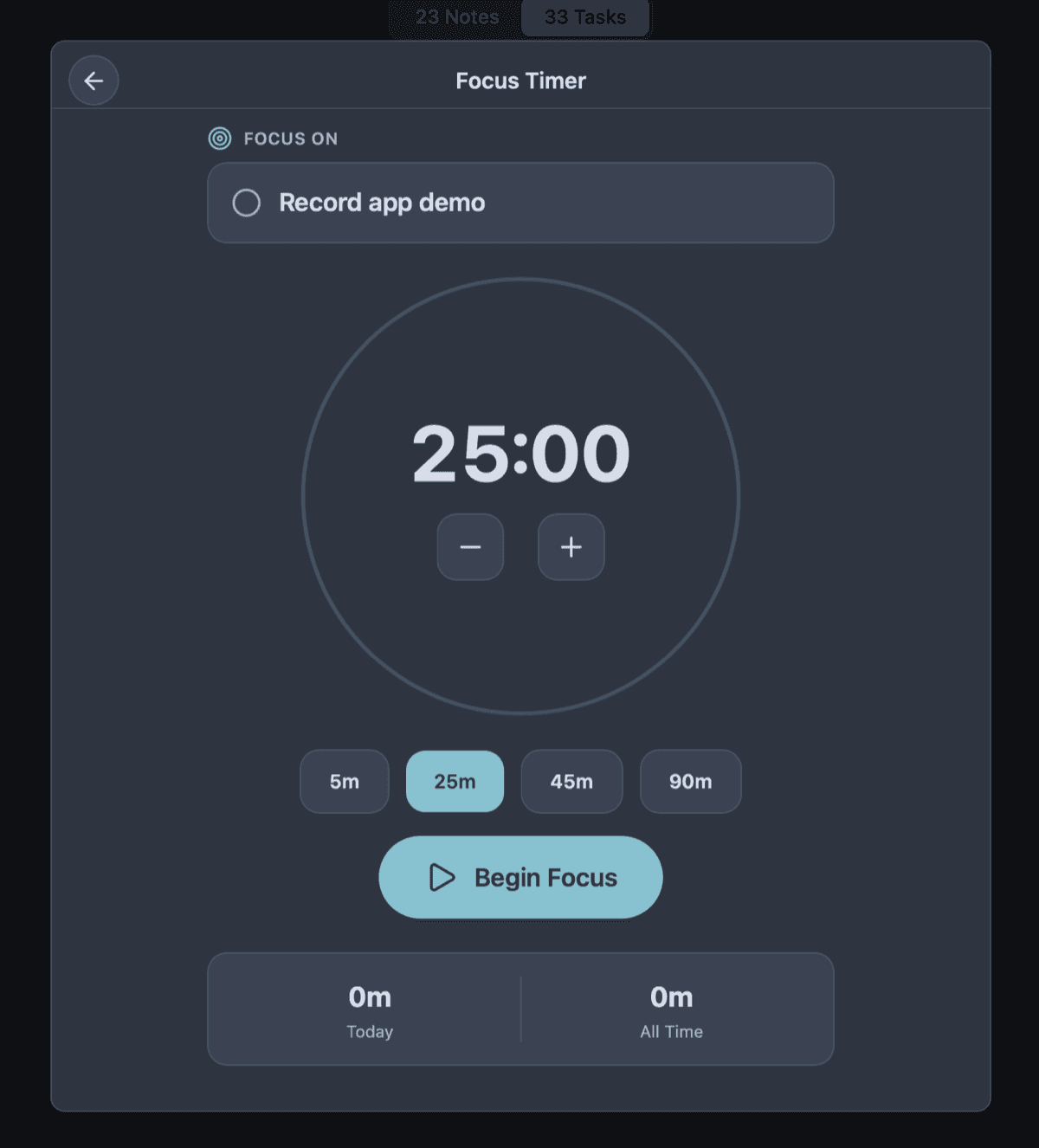
- Built-in Pomodoro timer to initiate hyperfocus
- Clean, stark interface that minimizes visual noise
Capture Before You Forget (Working Memory Limits)
Working memory is notoriously fragile for individuals with ADHD. A thought or a task can materialize and vanish within seconds if it isn't externalized immediately. This makes the "friction of capture" the most important metric for an ADHD-friendly tool.
If you have to unlock your phone, open an app, navigate to a specific project folder, click "new task", and set a priority tag just to remember to "buy milk," the task is already gone. Owldo's local-first architecture means the app opens instantly. Hit the global hotkey, dump the thought into the inbox, and get back to what you were doing. Organize it later. Or never.
The Danger of "Everything Apps"
Apps with infinite canvases (like Notion or Obsidian) are a dangerous playground for ADHD procrastination. Because executive dysfunction makes starting a task incredibly hard, the ADHD brain will naturally gravitate toward the "productive procrastination" of organizing.
You can spend four hours designing the perfect database schema with color-coded Kanban boards, and zero hours doing actual work. Owldo limits your options on purpose. It forces you to write the task and do the task, because there are no databases to tweak. We removed the playground so you are forced to confront the work.
Forgiving, Not Punitive
Many task managers rely on gamification and guilt. If you miss a few days, your screen is flooded with aggressive red "OVERDUE" text, broken streaks, and angry notifications. For someone with ADHD, this wall of guilt often triggers paralysis, causing them to abandon the app entirely.
Owldo is aggressively forgiving. Missed a week? Overwhelmed? Owldo doesn't yell at you. It makes it incredibly easy to bulk-reschedule things, push them to next week, or just clear the board and start fresh. It's a tool designed to support you, not a guilt machine designed to audit you.
See Owldo in action
Frequently asked questions
How does Owldo help with task initiation?
By lowering the barrier to entry. The built-in Pomodoro timer lets you commit to just 5 minutes of work. Often, breaking the initial inertia is all you need.
Is there too much visual clutter?
No. Owldo is aggressively minimalist. The interface is stark and focused, reducing the cognitive load required just to look at your list.
Does it work offline?
Yes. Which means you can turn off your Wi-Fi (and all its distractions) and still have full access to your tasks and notes.
Related pages