Owldo for Writers
Your ideas deserve a better home than three different apps.
The modern writing workflow is fundamentally broken. Writers capture raw ideas in Apple Notes, manage their deadlines in a task manager like Todoist, draft the article in Google Docs, and finally format it to publish on Substack or WordPress.
This fragmentation creates immense friction. Owldo collapses all four stages of the writing pipeline into a single, lightning-fast application. It is built for people who think in prose and execute in deadlines.
Our Philosophy
“You shouldn't rent your data. You should own it.”
Proprietary cloud databases are traps designed to make it impossible for you to leave. Owldo rejects this hostile approach. Your notes are standard Markdown. You can export your entire database at any second, which forces us to build a product so good you'll want to stay.

Capture Without Friction
An idea has a half-life. If you don't write it down within seconds, it degrades or disappears entirely. When a thought strikes you in a coffee shop or on a train, you do not have time to open a heavy CMS, create a new document, and choose a template.
Owldo's local-first architecture ensures the app opens instantly. The inbox catches everything immediately. You dump the raw, unedited thought into a stark Markdown editor without worrying about "where it belongs." Organization comes later, when you have the clarity to sort it.
Drafts Live Next to Deadlines
Writing is a creative act, but publishing is an administrative one. You need the creative freedom to draft, but the rigid structure to actually hit the "submit by Friday" deadline.
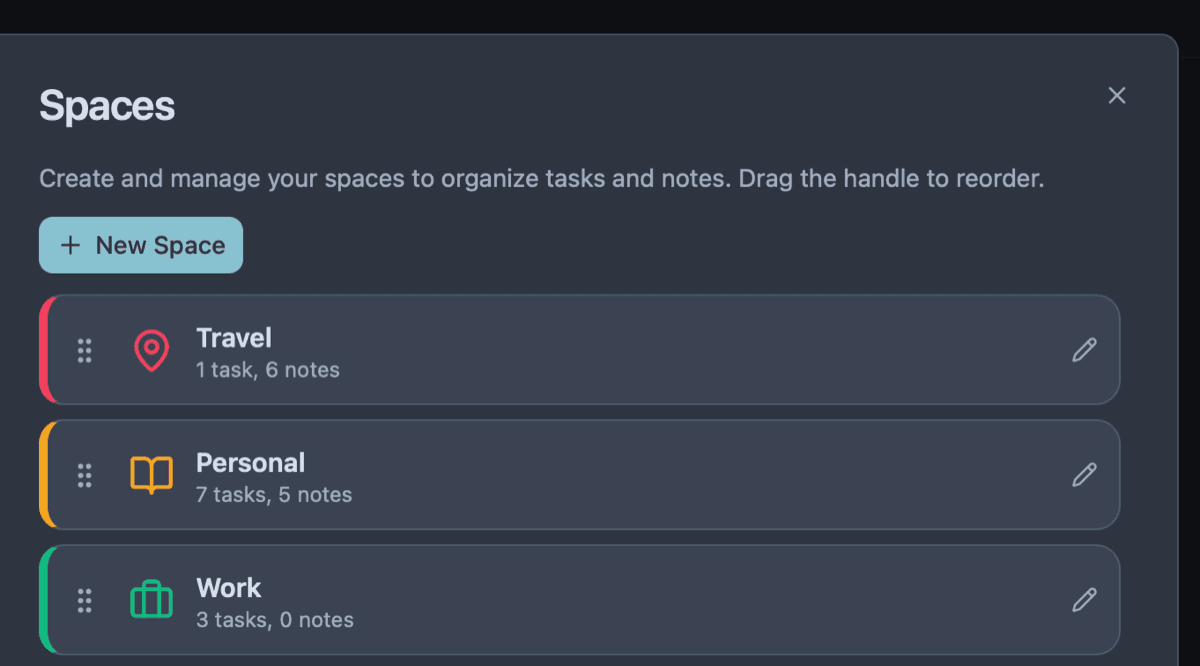
In Owldo, you create a Space for your essay or book chapter. The Markdown draft lives in the same Space as the actionable task list. You open one window and see everything that belongs together. There is no switching between a notes app to write and a task manager to remember why you were writing.
Publish With One Tap
Moving a finished draft from your notes into a publishing platform is agonizing. You lose formatting, break your code blocks, and spend 30 minutes fighting a WYSIWYG editor just to make the text look presentable.
Owldo turns any Markdown note into a live web page instantly. Write your piece, hit the "Publish" toggle, and share the link. It generates a clean, typography-focused, SEO-optimized page immediately, bypassing the entire concept of a complex blogging dashboard.
Owldo for Writers

What this replaces
- Apple Notes + Apple Reminders (two apps for one job)
- Notion (powerful, but slow to open and endless to configure)
- Substack / Ghost (complex CMS dashboards for simple writing)
- Google Docs + Tasks (still split, always will be)
Frequently asked questions
Can I publish my writing directly from Owldo?
Yes — any note publishes in one tap to your own page at owldo.app/you. No separate blogging platform needed.
Does Owldo work offline for writing on the go?
Owldo is offline-first: every draft is saved to a local database and syncs when you reconnect. A plane or a dead zone never stops you.
Do I own what I publish with Owldo?
Yes. You publish to your own page, your data is exportable in Markdown, and there is no revenue cut — your writing stays yours.
Owldo is also for