Comparison
Owldo vs Logseq.
Logseq is an exceptional outliner, forcing every thought into an infinite hierarchy of bullet points. This is brilliant for daily journaling and academic research.
But it fails spectacularly for long-form writing and structured project management. Owldo is not an outliner. It is a sharp, document-based workspace designed to help you write clearly and execute quickly.
Our Philosophy
“Friction is the enemy of momentum.”
If you have to open a web app, wait for a loading spinner, and assign five metadata tags just to write down a single sentence, you will simply stop writing things down. We utilize a local-first SQLite architecture to guarantee zero-latency capture.

| Feature | Owldo | Logseq |
|---|---|---|
| Core structure | Documents & Spaces | Block-based Outlines |
| Networked thought | No (Flat structure) | Yes (Graph view, backlinks) |
| Task execution | Dedicated UI, Schedules | Query-based inside bullets |
| Learning curve | Zero | High |
| Publishing | One click | Requires external hosting |
Outliners vs Documents
In Logseq, everything is a bullet point (a block). When you write a paragraph, it is a bullet. When you create a task, it is a bullet. This is incredible for rapid, unstructured dumping of information (the daily journal approach).
However, if you want to write a cohesive, long-form project brief, a blog post, or a technical specification, an outliner feels incredibly restrictive. Owldo uses a standard Markdown document structure. You write paragraphs, not bullets, making it much better for long-form thought.
Execution vs Sense-Making
Logseq is designed for "sense-making." You dump raw data into the daily journal, tag it, and use complex queries to pull related blocks together across time.
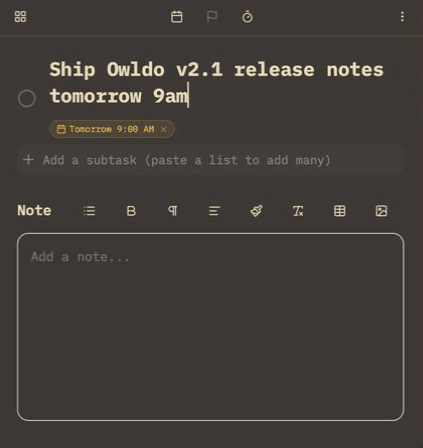
Owldo is designed for execution. When you start a project, you create a Space. You put the project brief in the note, and the actionable steps in the task list below it. You don't query for your tasks; you just look at them on your daily schedule and do them.
Where Logseq Wins
Logseq is arguably the best outliner in existence. If your brain naturally organizes information in nested bullet points, and you rely heavily on bidirectional linking to connect disparate ideas from different days, Logseq is a masterpiece.
But if you prefer a traditional file/folder (Space) structure, write in long-form paragraphs, and want a highly polished, dedicated UI for managing your daily tasks, Owldo is the better fit.
What you get with Owldo

Frequently asked questions
Are both Owldo and Logseq local-first?
Yes. Both apps read and write to local files/databases on your machine, ensuring privacy and offline capability.
Does Owldo have a graph view like Logseq?
No. Owldo intentionally avoids knowledge graphs in favor of actionable, self-contained project Spaces.
More comparisons