Comparison
Owldo vs Todoist.
Todoist is arguably the most polished task manager ever made. But the fundamental flaw of Todoist isn't how it handles tasks; it's how it handles everything else. Work is rarely just a checklist.
A task like 'Fix the auth API bug' is useless without the cURL command, the server logs, and the Slack context. Todoist holds the task, but forces you to leave the app to find the context. Owldo reunites them in one room.
Our Philosophy
“We build sharp knives, not Swiss army knives.”
Most productivity apps try to be everything for everyone, resulting in bloated, slow software. Owldo is deliberately opinionated. We built a fast, local-first tool strictly for people who think in prose and execute in deadlines.

| Feature | Owldo | Todoist |
|---|---|---|
| Task management | Native, first-class | Native, excellent |
| Notes built in | Full Markdown editor | Comments only |
| Tasks and notes share Spaces | Yes | No |
| Offline support | Full | Full |
| Pomodoro timer | Built in | Requires 3rd party integration |
| Publish notes to web | Yes | No |
| Pricing | Free local / $3/mo sync | Free / $5/mo |
The Context Switching Tax
If your task is "Review Q3 Strategy," you put that in Todoist. But where is the strategy document? Google Docs? Notion? Slack? To actually do the work, you have to leave your task manager, search across three different platforms to find the context, and then return to check the box.
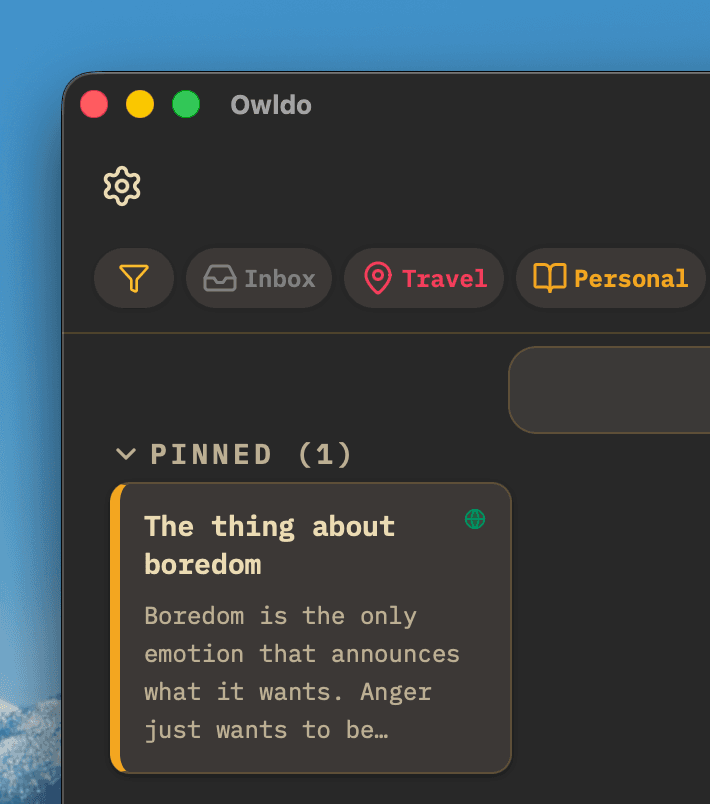
Owldo eliminates this context-switching tax. A Space in Owldo contains both the Markdown document detailing the strategy, and the actionable tasks required to execute it directly below. You open the app, read the context, start the built-in Pomodoro timer, and do the work—all in one window.
Tools for Execution
Todoist excels at helping you organize a list of things you *should* do. But staring at a perfectly organized, prioritized list of 40 tasks often leads to paralysis. The tool tells you what you owe it, but it doesn't help you pay the debt.
Owldo goes a step further by integrating tools for execution. With a unified daily planner view and a deeply integrated Pomodoro focus timer, Owldo actively helps you pull one task from the pile, artificially constrain your time, and get it done.
Where Todoist Wins
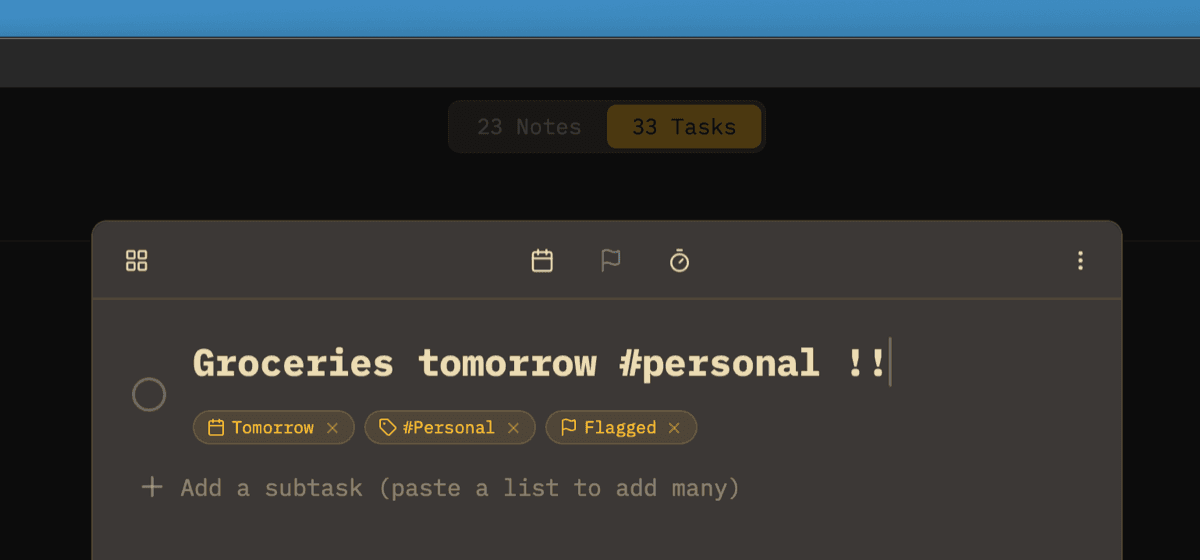
Todoist has the best Natural Language Processing (NLP) in the industry. Typing "Buy milk every other Tuesday at 4pm" and watching it perfectly parse into a recurring task is magic. It also integrates with literally every software platform on earth.
If your primary need is capturing a massive volume of disparate tasks via voice, email, and Slack integrations, Todoist wins. If your primary need is sitting down at a computer to actually do deep work, Owldo's inclusion of notes and timers is superior.
What you get with Owldo

Frequently asked questions
Does Owldo have NLP like Todoist?
Owldo focuses on a fast, keyboard-driven UI for capture, but relies on explicit date selection rather than complex NLP string parsing.
Can I import from Todoist?
Currently, you can manually move your high-priority items. Because Owldo introduces notes into the hierarchy, a 1:1 automated migration from a pure-task app is rarely clean.
More comparisons